
How to Reduce Your Digital Carbon Footprint
Every email you send, every video you stream, every AI query you run, they all leave a mark on the planet. The digital world has long been treated as weightless, invisible, consequence-free. But the infrastructure powering our connected lives is anything but. The good news? Understanding your digital environmental footprint is the first step toward meaningfully reducing it, and the actions available to you are more accessible than you might think.
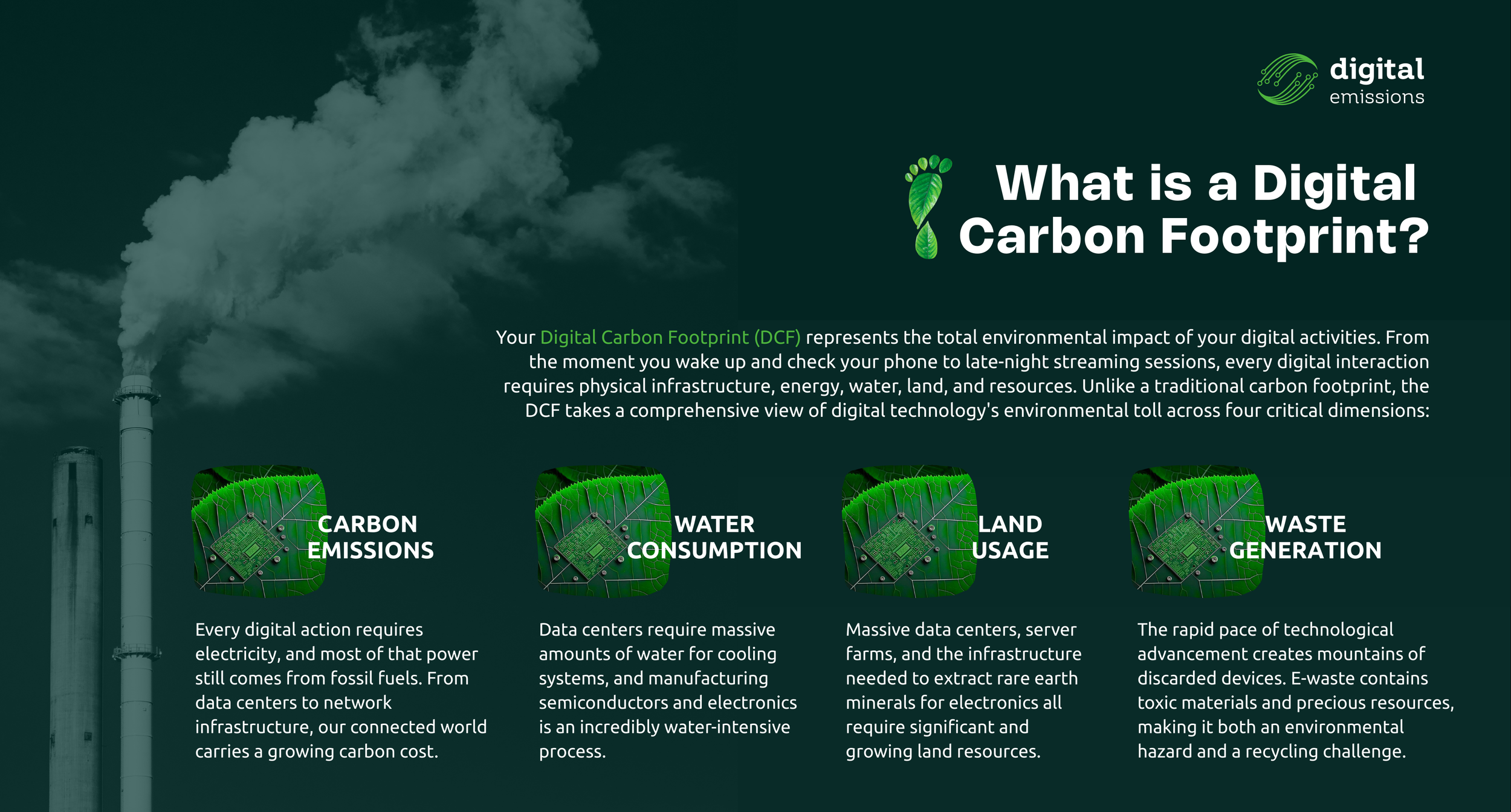
The digital sector now accounts for roughly 4% of global greenhouse gas emissions, more than the entire aviation industry, and that figure is on a trajectory to double. But transformation is possible. Below is a consolidated set of the most impactful, evidence-backed actions you can take, drawn from researchers, sustainability organizations, and digital footprint experts worldwide.
Tip 01 - Stream Smarter, Not More
Online video streaming accounts for an estimated 60–75% of global internet traffic, making it one of the most energy-hungry digital habits most of us have. The resolution you choose matters enormously: opting for standard definition instead of HD can reduce your monthly video streaming footprint from roughly 53 kg of CO₂ to around 2.5 kg, a reduction of over 90%. Wherever possible, download content instead of streaming it repeatedly; pulling data from a server once is far more efficient than streaming the same file multiple times. Disabling autoplay on platforms like YouTube and Netflix also prevents passive consumption that burns energy without your awareness. And when streaming music, consider playing audio files rather than running video streams in the background.
Tip 02 - Rethink Your Email Habits
Email is one of the most underestimated contributors to personal digital emissions. A typical year of incoming email alone adds approximately 136 kg of CO₂ to a person’s carbon footprint, equivalent to driving approximately 320 kilometers in an average car. A single email with a large attachment can have the same carbon footprint as driving one kilometer.
The most effective changes are straightforward: link to shared cloud documents rather than attaching files, unsubscribe from newsletters you no longer read, delete old emails regularly (especially those with large attachments), and use “reply all” only when every recipient genuinely needs the message. Compressing large files before sending is another easy win with a measurable impact.
Tip 03 - Declutter Your Digital Spaces
Cloud storage feels weightless, but it isn’t. Every file you store is held on physical servers inside data centers that consume vast quantities of electricity and water around the clock. Research suggests that only 5% of stored data is actively reused after 90 days, meaning the overwhelming majority of what we store is digital clutter with a real-world energy cost.
Schedule regular digital cleanups: go through your cloud drives, photo albums, and downloads, deleting duplicates, outdated documents, and files you know you’ll never revisit. Pay particular attention to photos and videos, which are storage-intensive. Avoid the habit of recording every meeting if you know you won’t review it. Where you need long-term archiving, consider moving rarely accessed files to a local external hard drive, which only consumes energy when plugged in.
Tip 04 - Power Down Properly
The way you manage your devices’ power makes a meaningful difference. Laptops consume 15–60 watts while in active use and only 2–5 watts in sleep mode, but turning a device fully off is even better. The U.S. Department of Energy recommends shutting down any device you won’t use for two or more hours, because electronics continue drawing power even in standby mode, a phenomenon sometimes called “vampire draw” responsible for roughly 10% of average household energy consumption.
Additional quick wins: reduce screen brightness, enable dark or grey mode on your devices (especially beneficial on OLED screens), disable unnecessary notifications and background apps, and unplug chargers when they’re not actively charging; a plugged-in but idle charger still draws electricity.
Tip 05 - Reduce Tracking Practices
Most people think of ad and data tracking as a privacy issue. It is, but it’s also a surprisingly significant energy issue that rarely gets discussed. On nearly every website you visit, dozens or even hundreds of third-party tracking scripts run silently in the background, collecting data about your behavior and transmitting it to ad networks, analytics platforms, and data brokers. Each of those transmissions consumes energy. Multiply that across billions of daily page visits, and the environmental impact becomes substantial.
Tip 06 - Extend the Life of Your Devices
The single highest-impact thing most people can do for their device-related footprint is simply to hold onto their current device longer. The manufacturing of a smartphone accounts for approximately 80% of its total lifetime carbon emissions, meaning the act of buying a new phone generates far more emissions than years of charging and using the one you already own.
Prioritize repair over replacement. Keep battery health in mind by avoiding charging past 80% and not leaving devices plugged in at full capacity overnight. When you do eventually upgrade, sell or donate your old device rather than discarding it, recycled materials require far less carbon to process than virgin materials. Yet, only 17% of global e-waste is currently recycled. When buying, consider refurbished or remanufactured options.
Tip 07 - Use AI Mindfully
Artificial Intelligence is one of the fastest-growing contributors to digital emissions, and its impact is accelerating. Training large AI models demands enormous energy: Microsoft’s CO₂ emissions rose nearly 30% between 2020 and 2024, and Google’s greenhouse gas emissions climbed almost 50% between 2019 and 2023, both largely tied to AI data center expansion. At the individual level, a single ChatGPT query uses approximately ten times the energy of a conventional web search.
This isn’t a call to abandon AI. It’s a call to use it intentionally. Before opening a generative AI tool, ask whether the task actually requires it. A simple factual lookup, a quick calculation, or a familiar website address can be handled with a regular search engine at a fraction of the energy cost. When you do use AI, write clear, specific prompts to reduce the number of follow-up queries needed.
Tip 08 - Camera Off Can Be a Green Act
Video conferencing has become embedded in modern work life, and it carries a surprisingly significant footprint. One hour of video calling can emit approximately 1 kg of CO₂ and requires between 2 and 12 liters of water for data center cooling. The biggest variable? Your camera.
Consider adopting a culture where cameras are on for the opening of a meeting and when someone is actively presenting, but off otherwise. Streaming at standard definition rather than HD also significantly reduces bandwidth and associated energy. And when all participants are physically in the same building, meeting in person rather than via a video call is the most energy-efficient choice of all.
Tip 09 - Choose Greener Digital Services
Not all cloud providers, web hosts, or streaming services are equal when it comes to their environmental footprint. Data centers using renewable energy can dramatically reduce the carbon cost of your digital activities, simply by virtue of where your data lives. When choosing a cloud storage provider, web host, or online service, look for those with verifiable commitments to renewable energy, not just carbon-offset claims, which vary significantly in credibility.
If you own a website, investigating your hosting provider’s environmental credentials is a meaningful step. Organizations can go further by auditing their most energy-intensive applications and requesting environmental disclosure from IT vendors. For search, tools like Ecosia redirect advertising revenue toward tree planting, offering a simple substitution with a small but tangible benefit.
Tip 10 - Embrace Digital Sobriety
Underneath all the technical tips sits a broader principle: digital sobriety, the practice of using technology consciously, purposefully, and with awareness of its cumulative effects. This doesn’t mean logging off entirely. It means pausing before a reflexive scroll, skipping the search for a website URL you already know (type it directly instead), and scheduling genuine offline time into your day.
Research shows that 90% of data is never accessed again after three months of creation, mirroring the pattern of digital habits more broadly: we generate, consume, and store far more than we actually need. Building small habits of intentionality, bookmarking frequently visited sites, opting for a phone call over a video meeting when appropriate, and designating tech-free hours in your day collectively add up to a lighter digital footprint and, as a bonus, tend to benefit mental clarity and wellbeing too.
"Making the invisible visible is how we begin to change it. Every byte has a cost and every conscious choice has a benefit."
None of these steps alone will resolve the structural challenges of a rapidly digitalizing world, which requires action at the policy, infrastructure, and corporate levels too. But individual behavior, at the scale of billions of connected people, is not trivial. The same cultural shifts that normalized recycling, reduced single-use plastics, and made energy-efficiency a household concept can take root in our digital lives. It starts with awareness, and awareness starts here.
At Digital Emissions, we believe technology should be a force for good, and that means being honest about its costs as well as its possibilities. Building a sustainable AI future together means making the invisible visible, one informed choice at a time.
